
Better chance at success, step by step.

Claim your property, create your project, then add or search for contractors. Indigo qualifies and monitors its Partners, checks the contractors you add, keeps your project on record and helps you lessen the loss if something goes wrong.

Free for homeownersNo obligation to hireNo sign-up needed to start

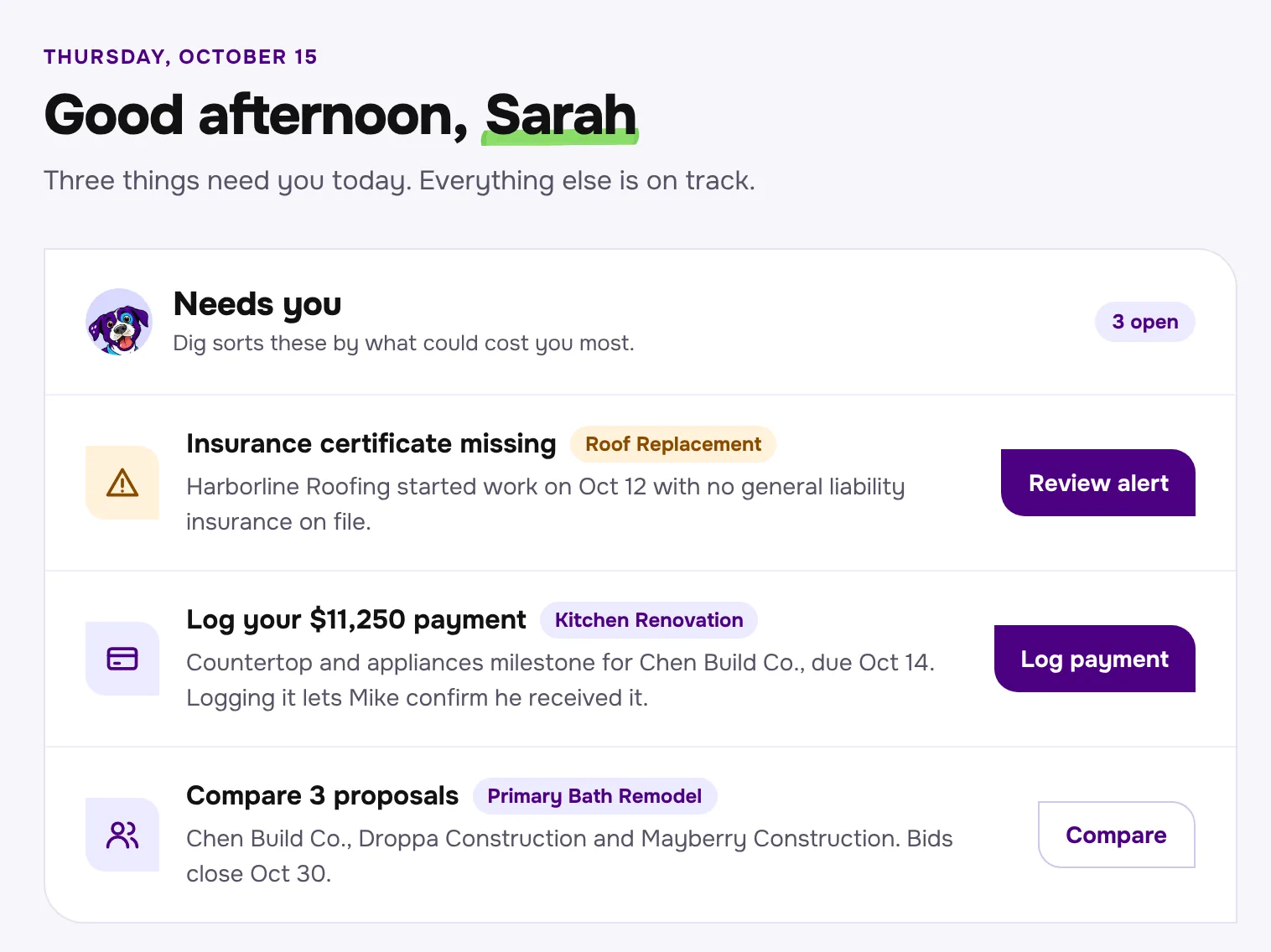
The Indigo app home screen: three things need you today, a missing insurance certificate on a roof replacement, an $11,250 payment to log and three proposals to compare
Flagged before it costs youA missing insurance certificate shows up early. One click asks for it.
Dig, Indigo's watchdog mascot, leading the way

Screens from the Indigo app. Names and figures are examples.

For homeowners

Three steps. One record.

Each step takes a few minutes and costs nothing. Scroll on to watch each one in the app and see how it gives your project a higher chance of success.

01Claim your property

Put your home on record in your name. It takes a few minutes and costs nothing.

Film: Claim your property, 15 seconds, no sound.
  1. Find your address and confirm the home is yours.
  2. It takes a few minutes, and costs nothing.
  3. Your home is guarded against fraudulent claims,
  4. and every project, proposal and payment ties back to it.

Dig, Indigo's watchdog mascot, carrying a project plan

02Create your project

Say what needs doing, then set a budget range and a timeframe. No sign-up needed to start.

Create your projectSave it to your account when you're done.
Film: Create your project, 17 seconds, no sound.
  1. Say what needs doing.
  2. Dig can help you describe the work.
  3. Add photos, and set a budget range and a timeframe.
  4. Every contractor prices the same scope,
  5. so proposals are easy to compare.
  6. No sign-up needed to start.
  7. Save it to your account at the end.

03Add or search for contractors

Invite a contractor you already know, or search for Indigo Partners in the app. Either way, Indigo checks them before they can send a proposal.

Film: Add or search for contractors, 14 seconds, no sound.
  1. Invite someone you know.
  2. Or search qualified contractors.
  3. Every profile shows how often they finish on time and on budget.
  4. Then compare proposals side by side,
  5. with Dig's take on what stands out.

01Claim your property

Film: Claim your property, 15 seconds, no sound.
  1. Find your address and confirm the home is yours.
  2. It takes a few minutes, and costs nothing.
  3. Your home is guarded against fraudulent claims,
  4. and every project, proposal and payment ties back to it.

Films from the Indigo app. Names and figures are examples.

Everything Indigo does

Everything Indigo does for your project.

From claiming your home to the last payment: fourteen short films from the app, narrated, with captions. Pick one, or play the tour.

14 films · about 3 min
Film: Claim your property. 15 seconds, narrated, with captions.
  1. Find your address and confirm the home is yours.
  2. It takes a few minutes, and costs nothing.
  3. Your home is guarded against fraudulent claims,
  4. and every project, proposal and payment ties back to it.

1 of 14

Claim your property · 0:15

Guarded against fraudulent claims, and every project ties back to it.

Claim your property

Screens from the Indigo app. Names and figures are examples.

How we qualify contractors

Qualified to join. Monitored on every project.

A slick website and a few good reviews aren't enough. Here's what a contractor clears to become an Indigo Partner, how they stay qualified, and the record every project adds to.

The five checks

Five checks for every Indigo Partner

Open a check to see how it shows in the app.

  1. What Indigo looks at

    We confirm the contractor is a real business, legally registered as one.

    What you see in the app

    Business verificationVerified Jan 2026

    Example Each check shows its status and the date it was done.

    What it means for you

    There's a registered business behind every proposal you get.

  2. What Indigo looks at

    We verify their state contractor license.

    What you see in the app

    License verificationState license CCC1331892Expires Aug 2027

    Example The license number and when it expires.

    What it means for you

    Nothing to look up yourself, and you can see when it's due for renewal.

  3. What Indigo looks at

    We confirm liability and workers' comp coverage.

    What you see in the app

    InsuranceGeneral liability: not on file

    Example A missing or lapsed certificate is flagged.

    What it means for you

    A Partner's insurance is monitored for as long as they're a Partner, at no cost to you. If it lapses, they go on hold, and you can't invite them until it's current. Most homeowner policies won't cover damage caused by an uninsured contractor.

  4. What Indigo looks at

    A criminal background screening of every owner and officer of the business, renewed every year. It covers the people who own and run the business, not every worker on your site.

    What you see in the app

    Background screeningCleared Jan 2026Renews Jan 2027

    Example Cleared, with the date it renews.

    What it means for you

    You know the people who run the business were screened, and when. Contractors who screen their onsite crew through Indigo show it on their profile.

  5. What Indigo looks at

    The contractor tells Indigo about their bank, their credit and who they do business with, so Indigo can judge whether the business can see a job through.

    What you see in the app

    Financial healthVerified Jan 2026Optional, shared

    Example Verified, with the date, when the contractor shares it.

    What it means for you

    It's the contractor's choice. If they share it, you see it verified, with the date, never their figures. If they don't, their profile says Not shared.

Qualified · 5 of 5 checksNow they can send you a proposal.

Kept current while they work for you

Then, on every project

Performance record

Every project adds to a contractor's record, and every profile shows it, so you can see how they work before you invite them.

Pick a contractor

Example profiles

Chen Build Co.

Portland · 3.2 mi

64 jobs4.8 stars from 41 reviews

Invite Chen Build Co. to a project

Qualified · 5 of 5 checksYou can invite them to your project.

Droppa Construction

Portland and Vancouver · 6.1 mi

52 jobs4.2 stars from 39 reviews

Invite Droppa Construction to a project

Qualified · 5 of 5 checksYou can invite them to your project.

Mayberry Construction

Gresham · 11.4 mi

9 jobs4.3 stars from 7 reviews

On hold: insurance expired Oct 2Can't be invited until their insurance is current.

What counts as on time

How often they finish on time, counting schedule changes the homeowner accepts for weather, change work or unforeseen problems.

Example
  1. The agreed finish date
  2. A weather delay. The homeowner accepts a new date.
  3. They finish on the new date

Doesn't count against them

What counts as on budget

How often their final cost comes in at or under their original proposal.

Example
  1. The agreed budget: their proposal
  2. No approved change on record
  3. They finish over the agreed budget

Counts against them

Example profiles from the app. Names and figures are examples.

Dig, Indigo's watchdog mascot, inspecting with a magnifying glass

Bring your own contractor

Already have a contractor in mind?

Create your project, then invite them by email. Indigo checks their business and license at no cost to you. Indigo can also verify their insurance and monitor it continuously for 12 months, and you're notified if it lapses at any point: contact us for pricing. A background screening is also available.

We'll check whether they're already on Indigo.
Checking their email…
Not on Indigo yetYour contractor will get an email to join.

What happens next

You'll get a notice at each step.

  1. Invitation emailYour contractor gets your invitation and the project scope.
  2. AccountYour contractor creates an Indigo account.
  3. Indigo checks themTheir business and license, at no cost. Plus their insurance and a background screening, if you add them.Usually within 24 hours.
  4. ProposalOnce the checks are done, your contractor can send a proposal.
  5. You compare and chooseTheir proposal shows up on your project, next to any others.

If something goes wrong

Problems happen. You won't face them alone.

No one can promise a project with zero risk. Indigo takes many risks off the table from the start, then helps you lessen the loss from the ones that remain. Here's how one flag plays out, from the moment it's spotted to the record.

Risk MonitorOne flag on a roof replacement, start to finish

Example project. Names are examples.
  1. Risk flags and quality checks surface issues while they're still small and cheaper to fix.

    Dig, Indigo's watchdog mascot, sniffing out a red flag
    Risk Monitor1 flag

    Roof replacement 4218 Bayshore Boulevard, Tampa, FL

    • License: verified
    • Liability insurance: not on file
    • Workers' comp: verified

    Insurance not verified

    No verified insurance policy is on file for Harborline Roofing & Exteriors. Request a certificate of liability insurance before work begins.

    Most homeowner policies won't cover damage caused by an uninsured contractor.

    Example, recreated from the Indigo app: Risk Monitor flags that no liability insurance is on file for the roofer, before work begins.
    Flagged before work begins Missing insurance, caught early
  2. Your scope, budget and timeframe are on record, so every issue is measured against what was agreed.

    Project record Roof replacement

    Agreed when you created it

    • Scope of work
    • Budget range
    • Timeframe

    Raised on the record

    1. You requested a certificate Harborline has your request.
    2. Harborline uploaded it Certificate of liability insurance, PDF
    Example project record: the agreed scope, budget range and timeframe, then the certificate request and the upload, added to the same record.
  3. Indigo's dispute resolution helps you and your contractor resolve the issue and lessen the loss, with the goal of avoiding a legal process.

    Waiting for the certificate Indigo checks it when it arrives. Verified Indigo checked it, and the flag clears.

    On the project recordSaved

    • The flag
    • Your request
    • The certificate
    • Indigo's check

    Risk Monitor Roof replacementAll clear

    Example: Indigo verifies the certificate and the flag clears. The flag, the request, the certificate and the check stay on the project record.

Why it works

Less risk, by design.

Qualified and monitored contractors, a project on record and help when issues come up. It adds up.

  • $0to claim your property and create projects
  • 5checksfor Indigo Partners, then monitoring on every project
  • 20+yearsof construction risk management behind Indigo, through RiskFeed

How it adds up

  1. Qualified and monitored contractors
  2. Scope, budget and timeframe on record
  3. Proof of every payment
  4. Every change on record
  5. Flags before they get expensive
  6. Help if something goes wrong

Significantly lower riskfor homeowners on Indigo-registered projects

For contractorsThe Indigo Partner program

Real projects. Verified payouts.

Get qualified, then meet homeowners early, from the moment they create a project on a property they've claimed.

  • Scope on record before you bid. The budget range and timeframe are set before you price the job.
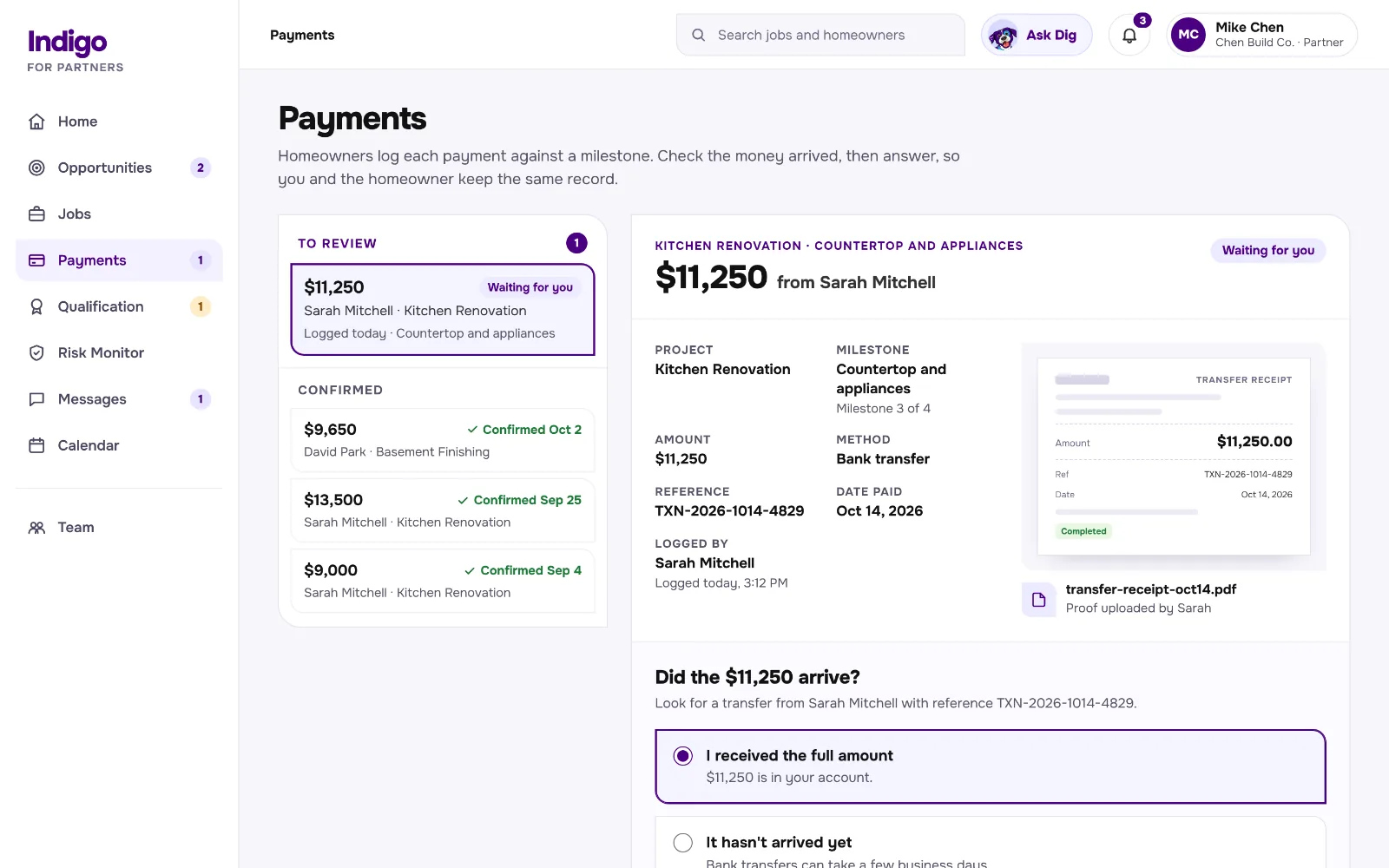
  • Verified payouts. Homeowners log each payment against a milestone, with proof. You confirm receipt, so every payout is on the record.
  • Your record does the talking. Every project adds to your on-time and on-budget record, right on your profile.
The contractor's side of a payment: confirm it arrived, and it's on the record for both of you. Names and figures are examples.
  1. Sarah logged an $11,250 payment for a milestone, with the transfer receipt.
  2. Check your account, then confirm you received it.
  3. The milestone shows as paid, on the same record for both of you.
  • A roofer laying shingles at sunsetRoofing
  • An electrician installing a pendant light in a kitchenElectrical
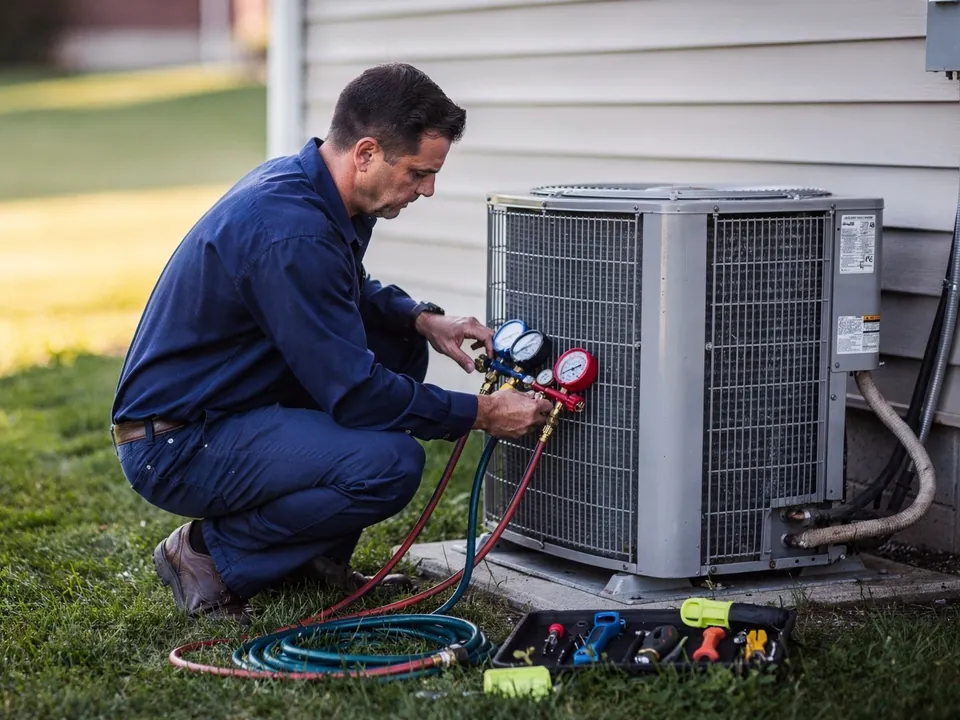
  • An HVAC contractor checking a home's outdoor unitHVAC
Dig, Indigo's watchdog mascot, in a hard hat with a toolbox
Qualification FAQ

The fine print, in plain English.

Straight answers about how contractors qualify and how Indigo keeps watch. Anything else? Ask Dig.

Does qualifying a contractor mean nothing can go wrong?

No. Every construction project carries some risk, and some things are outside anyone's control. Qualifying and monitoring contractors takes many of the biggest risks off the table, and when something does go wrong, Indigo helps you lessen the loss.

What does it cost?

Claiming your property, creating projects and adding contractors are free, and Indigo checks a contractor's business and license at no cost. For a contractor you add, insurance verification and 12 months of monitoring are priced on request, and a background screening is also available. See pricing.

What can I see about a contractor's performance?

Each profile shows how often they finish on time, counting schedule changes the homeowner accepts for weather, change work or unforeseen problems, and how often their final cost comes in at or under their original proposal.

How long does it take to qualify a contractor I add?

Usually within 24 hours for the standard checks. It can take longer when Indigo is waiting on a third party to confirm something.

What if my contractor doesn't qualify?

It's your decision whether to go ahead with them. You can take the risk, add a different contractor and have them checked, or search for an Indigo Partner Contractor in the app. The Partner program isn't in every area yet, but it's on the way.

How does Indigo keep monitoring contractors?

Every project adds to a contractor's performance record. Indigo Partners are re-screened every year, and their insurance is monitored for as long as they're Partners. Contractors you add who aren't Partners are monitored for 12 months, typically the length of a project, and you can post a complaint to their profile.

Ask DigAnswers from Indigo's FAQOn watch

Hi, I'm Dig. Ask me anything about Indigo, or read through the questions below.

Try asking
Still have a question? Our team will point you in the right direction.Talk to us
Ready when you are

Ready to start
your home project?

Claim your property, create your project and bring in qualified contractors. It's free, and you don't need to sign up to start.

Free for homeownersNo obligation to hireNo sign-up needed to start

  1. Claim your propertyOn record in your name
  2. Create your projectScope, budget and timeframe on record
  3. Add or search for contractorsEvery Partner qualified and monitored
Dig, Indigo's watchdog mascot, giving a thumbs up